Skip to content
TurnIntoCMS

For React and Vite sites

Plug in your React repo. Get a CMS.

Edits land in your source files, not a database.

  1. Your code

    src/data/menu.ts

    export const menu = [
      { name: "Flat white", price: "$4.50", note: "Double shot, whole milk" },
      { name: "Cold brew", price: "$5.00", note: "Steeped for 18 hours" },
    ];
  2. After your client clicks publish

    content: update 2 items

    • src/data/menu.ts$4.50→$4.80
    • - src/data/menu.ts: added "Iced matcha" to Menu (bottom)
    • Edited by Ola Berg via TurnIntoCMS
Example, names are fictional.
  • Edits land in your source files

  • Arrays become editable lists

  • Nothing added to your bundle

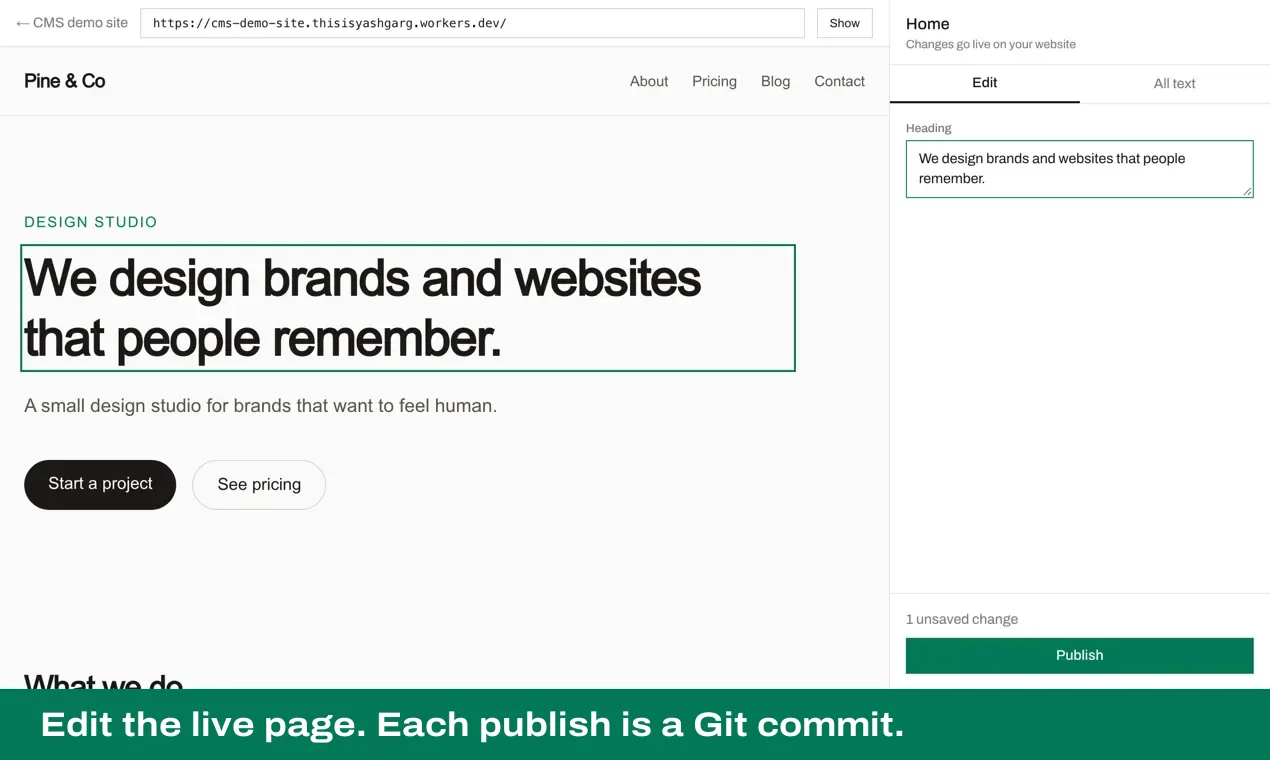
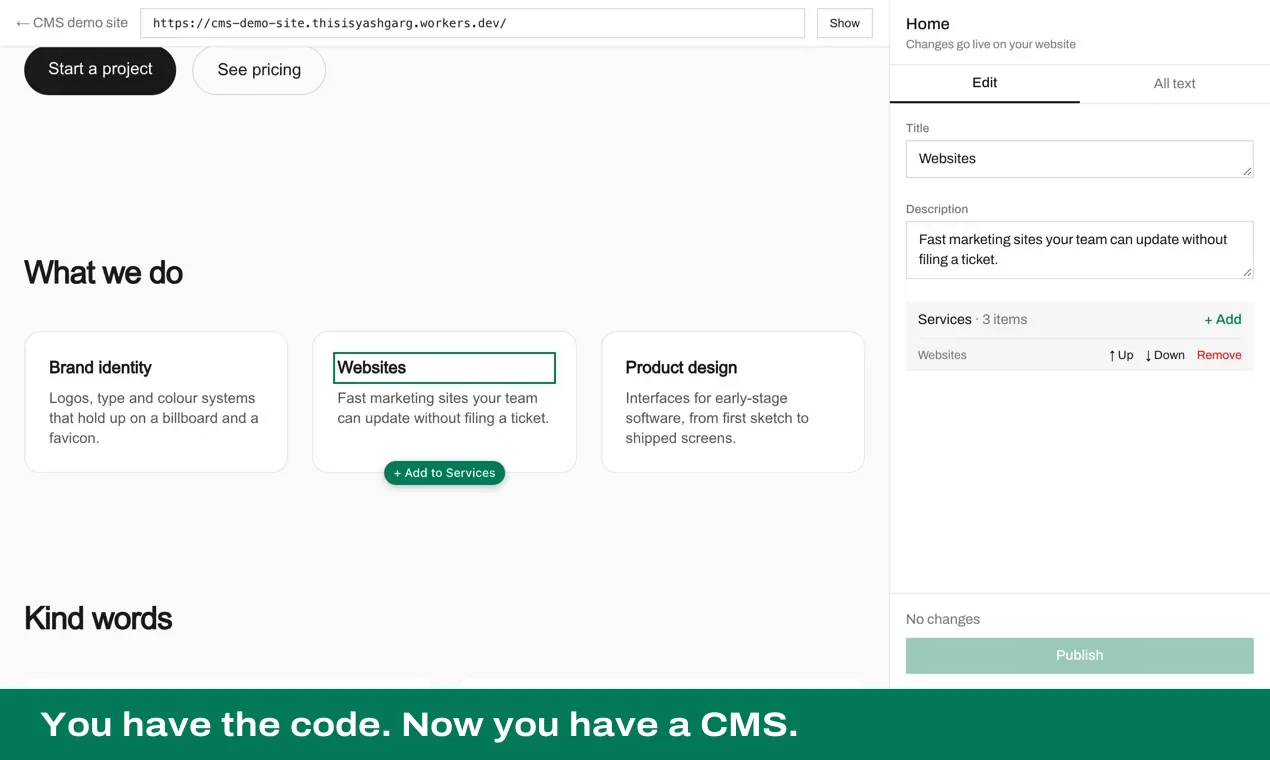
The real editor, not a mockup.

TurnIntoCMS editor with a heading selected on the live page and open as a text field beside it

Live in three steps.

  1. 1

    Plug in the repo

    Pick the repos TurnIntoCMS can see.

  2. 2

    Open a page

    Fields appear on the live preview.

  3. 3

    Publish

    One commit with every change listed.

Questions

Does it support React Router?

Yes, through imports. TurnIntoCMS starts from src/App.tsx and files under src/pages, and follows the components they import, up to 25 files per page.

Do I need to install a package?

No. TurnIntoCMS reads and edits your source through GitHub. Nothing is added to your package.json or your bundle.

Can clients edit lists, like a menu or a team?

Yes. Arrays in your code become lists the client can add to, reorder and remove from. New items copy the shape of an existing one.

What about images?

Clients can swap an image by uploading a PNG, JPG, GIF, WebP or AVIF file up to 5 MB. The picture is committed into the repo next to your other assets.

Does it work with Create React App or other bundlers?

TurnIntoCMS reads source files, not build output, so the bundler doesn't matter as long as pages start from src/App.tsx, src/pages, or Next.js app or pages routes.

The details

Why React sites are hard to hand off

A React or Vite site keeps its copy inside components and arrays. That is fine while you are the only editor. To hand it over, the usual routes are a rebuild on another CMS platform, with a monthly plan and a platform to learn, or a headless CMS: an API client, loading states, environment keys, a schema for each section, and content that no longer lives next to the code that renders it. For a static Vite site with no server, that is a lot of new moving parts.

TurnIntoCMS leaves the architecture alone. Your code is the CMS: the strings stay in your files, and the client edits them on the running site.

How TurnIntoCMS reads a Vite project

TurnIntoCMS treats src/App.tsx as the home page and every file under src/pages as its own page. From each, it follows relative, @/ and ~/ imports up to 25 files, and reads strings in .tsx, .ts, .jsx, .js and .json files. If your routes are declared in App.tsx and the page components live elsewhere, they are reached through those imports.

Arrays become lists. The client can add an item, which is cloned from an existing one so the shape matches, move items up and down, or remove them. Paragraphs with bold, italic, links and line breaks are edited as rich text and written back as JSX.

Your build, your host

TurnIntoCMS doesn't render or host your site. It commits to GitHub, and whatever builds the site today, a GitHub Pages workflow, Netlify, Vercel or Cloudflare, builds it again. There is no runtime SDK and no script tag, so nothing is added to your bundle and there is nothing to keep updated in the site itself.

Related reading

Turn your React code into a CMS.

One website free. Then $1 each, paid once.