Skip to content
TurnIntoCMS

For Bolt sites

Your Bolt site is already a CMS.

Plug in the repo. Clients edit copy, Bolt stays yours.

  1. Your code

    src/App.tsx

    const plans = [
      { name: "Starter", price: "$29", features: ["1 location", "Email support"] },
      { name: "Studio", price: "$79", features: ["3 locations", "Phone support"] },
    ];
  2. After your client clicks publish

    content: update 2 items

    • src/App.tsx$79→$89
    • src/App.tsx3 locations→5 locations
    • Edited by Sam Lee via TurnIntoCMS
Example, names are fictional.
  • Clients change prices and copy

  • Bolt pulls every commit in

  • No script or SDK added

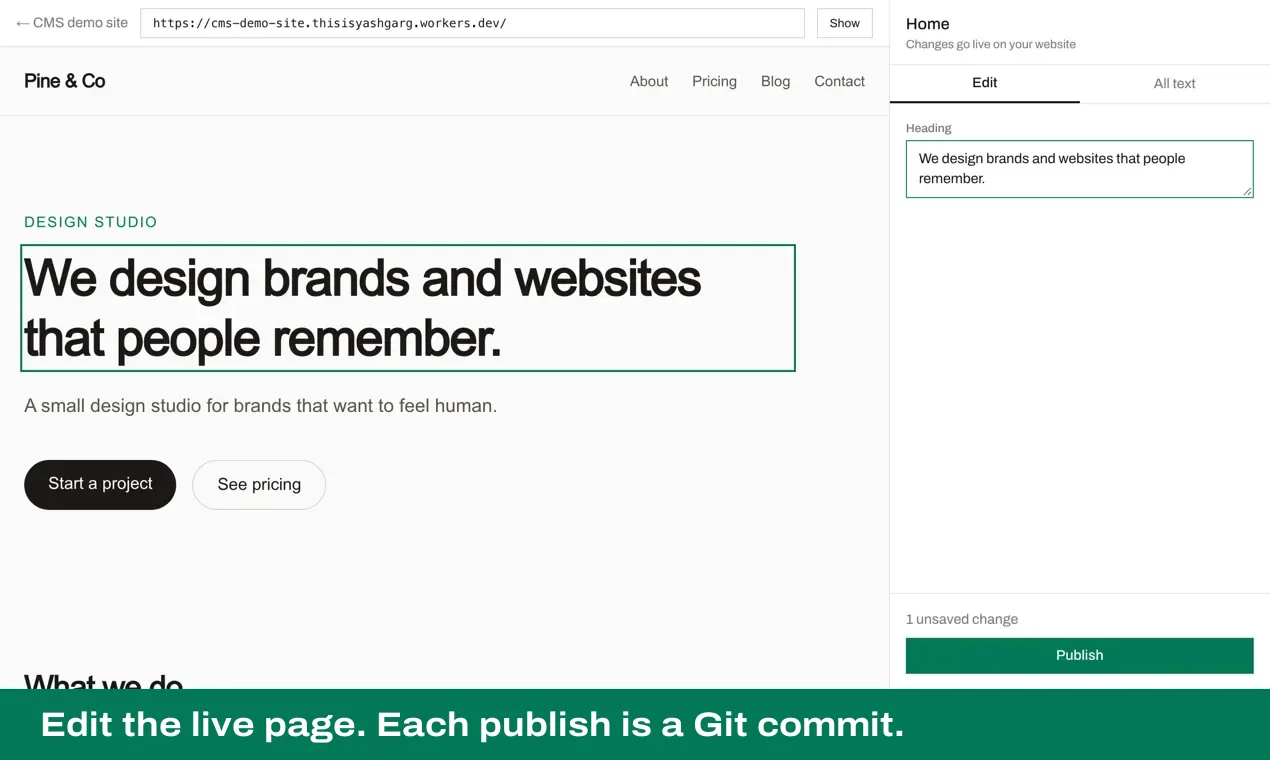
The real editor, not a mockup.

TurnIntoCMS editor with a heading selected on the live page and open as a text field beside it

Live in three steps.

  1. 1

    Push Bolt to GitHub

    Connect the project to a repo in Bolt.

  2. 2

    Connect it here

    Choose that repo when you connect GitHub.

  3. 3

    Invite your client

    They edit; Bolt pulls the commit in.

Questions

Does my client need a Bolt account?

No. Invite them by email from TurnIntoCMS. They sign up with their email address and never need a GitHub account or any Git knowledge.

Will Bolt see edits made in TurnIntoCMS?

Bolt's docs say it checks GitHub every 30 seconds for updates made outside Bolt and pulls them in, so a commit from TurnIntoCMS on the synced branch reaches the project.

Can the client change the layout?

No. They edit content only: text, links, images and list items. Layout, styling and logic stay in the code, where you change them in Bolt or your own editor.

How do I add a new pricing tier or feature?

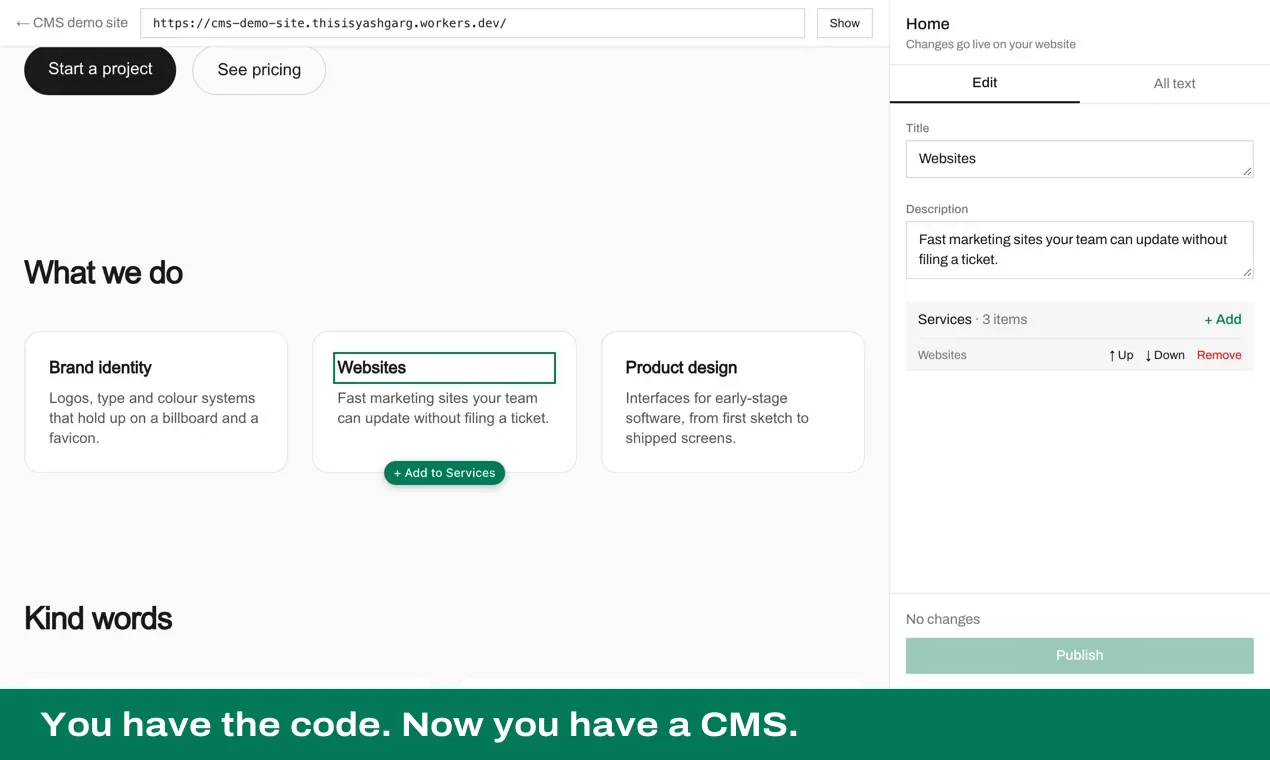
If the tiers are an array in the code, the client can add an item. TurnIntoCMS clones an existing item, so the new one has the same fields, and the client fills them in.

Is anything added to my site's code or bundle?

No. There is no script tag or SDK. TurnIntoCMS only edits the strings already in your files.

The details

The handoff problem with AI-built sites

You built the site in Bolt in an afternoon. A month later the client wants new prices and a new photo on the about page. The options are all poor: share your Bolt account, take every request yourself, teach the client to prompt and hope the AI changes only what they asked for, or rebuild the site on another CMS platform and pay a monthly plan for it.

TurnIntoCMS is another option: the code Bolt wrote becomes the CMS. The client gets an editor on the live site with only the content in it. You keep the Bolt project for real changes, and every client edit arrives as a readable commit.

How TurnIntoCMS fits Bolt's GitHub sync

Bolt can connect a project to a GitHub repository. Bolt's docs say it creates a commit for each change that doesn't break the project, and checks GitHub every 30 seconds for updates made outside Bolt and pulls them in. TurnIntoCMS commits to that same repository, so an edit made here reaches your Bolt project on its next check, and your host deploys it.

Bolt's docs also describe a conflict message when GitHub has a newer version while you are making changes in Bolt. Publish client edits when nobody is mid-change in Bolt, and both tools stay in step. On TurnIntoCMS's side, publishing stops if a file changed on GitHub after the page was opened, so it never overwrites a newer Bolt commit.

What can be edited

Whether the project is Vite and React or Next.js, TurnIntoCMS finds pages the same way: src/App.tsx, files under pages, and Next.js app routes. It follows local imports up to 25 files per page and turns strings into fields: headings, paragraphs, button text, links, images, and the items in arrays like the plans above. New list items are cloned from an existing one, so a new plan has the same fields as the others.

Related reading

Plug in your Bolt repo. Get a CMS.

One website free. Then $1 each, paid once.